Hire with confidence using Workable ATS + ThriveMap assessment integration
Realistic Job Assessments integrate with your Eploy hiring workflow to reduce early attrition and improve decision quality in entry-level and early-carees hiring.
What is Workable?
Workable is an all-in-one HR platform designed to support hiring, employee data management, time tracking, and payroll processes.
The tool includes tools for candidate sourcing, offering access to a large database of profiles and the ability to post job openings to multiple job boards. Its applicant tracking system features a talent database, evaluation tools, and AI-assisted screening to help identify suitable candidates.
Workable also provides employee management tools such as onboarding features, a self-service portal, performance review options, and time tracking capabilities for attendance and payroll management.
What ThriveMap adds to the Workable ATS
Workable is great at managing candidates and keeping your hiring process organised. What it doesn’t tell you is whether someone will actually be a good fit for the role you’re hiring for.
ThriveMap fills that gap. It shows candidates what the job is really like – the pace, priorities, and trade-offs, and then assesses how well they match those realities. Candidates who realise the role isn’t right step away early, and hiring teams get clear, job-relevant evidence they can use in interviews and decisions.
ThriveMap integrates directly into Workable, so recruiters don’t need another system or login. The insight sits alongside the candidate record, where the decisions already happen.
The hiring impact of ThriveMap
30- 50% reduction in early attrition in entry-level and early careers hiring. ThriveMap closes the candidate expectation gap before offer.
£30,000+ reduced cost per hire.
By reducing mis-hires, re-recruitment, and wasted onboarding effort.
More defensible hiring decisions
Job-relevant evidence grounded in the realities of the role, not abstract or generic scores.
Where ThriveMap fits in the Workable hiring process
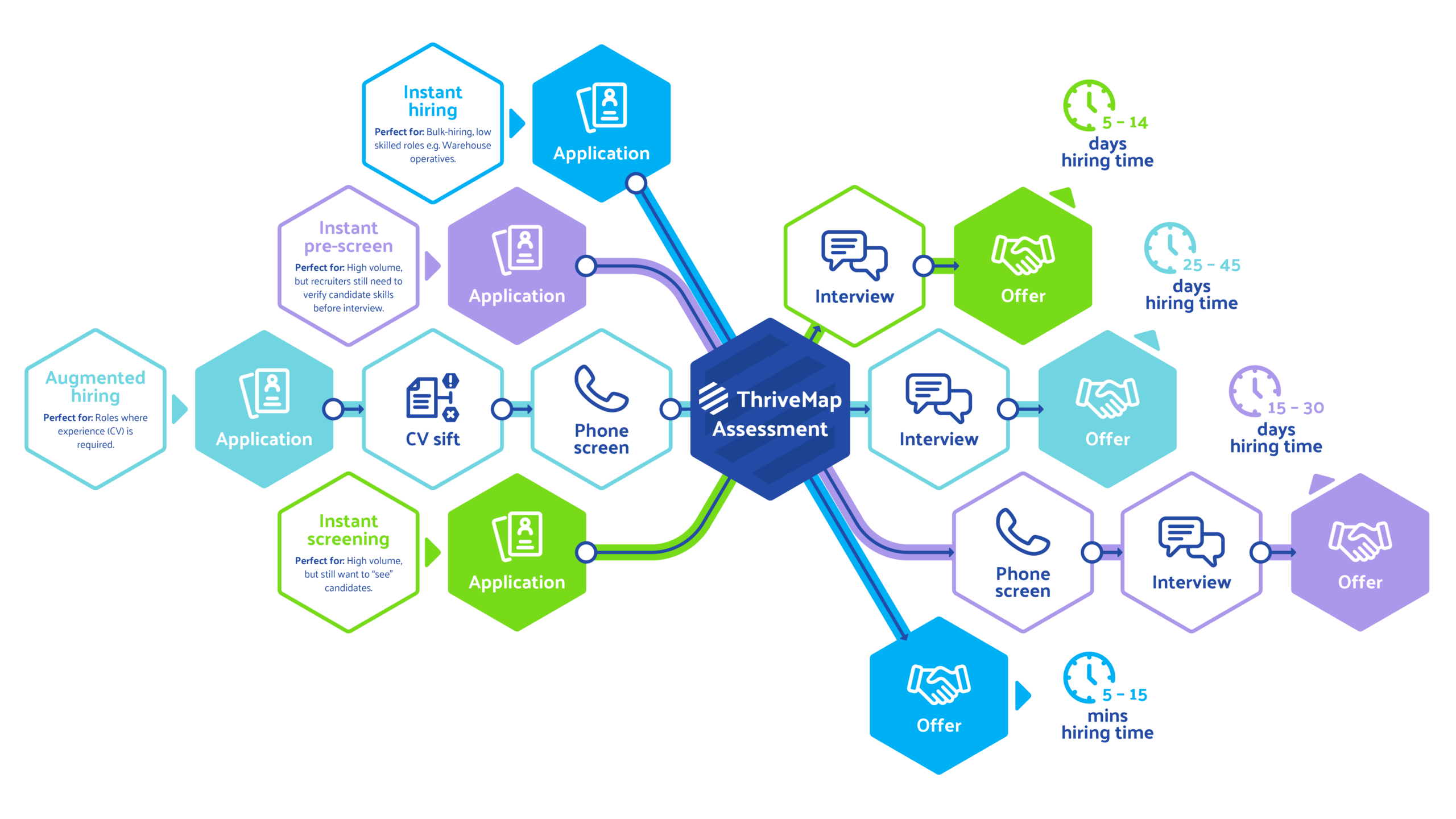
You can add ThriveMap at any point in your hiring process, but most teams using Workable drop it in just after the first CV or application screen. That’s the moment where a candidate looks good on paper, but you’re not yet sure how they’ll actually cope with the job.
At that point, candidates are invited to complete a ThriveMap assessment before moving on to interview. From there, recruiters stay in Workable, but now they’ve got something more than a CV to go on — a clear picture of how each person fits the day-to-day reality of the role, and practical evidence they can use to run better interviews and make more confident decisions.
What your team sees in Workable
When a candidate completes their ThriveMap assessment, their Workable profile fills in with the information you need to make a decision.
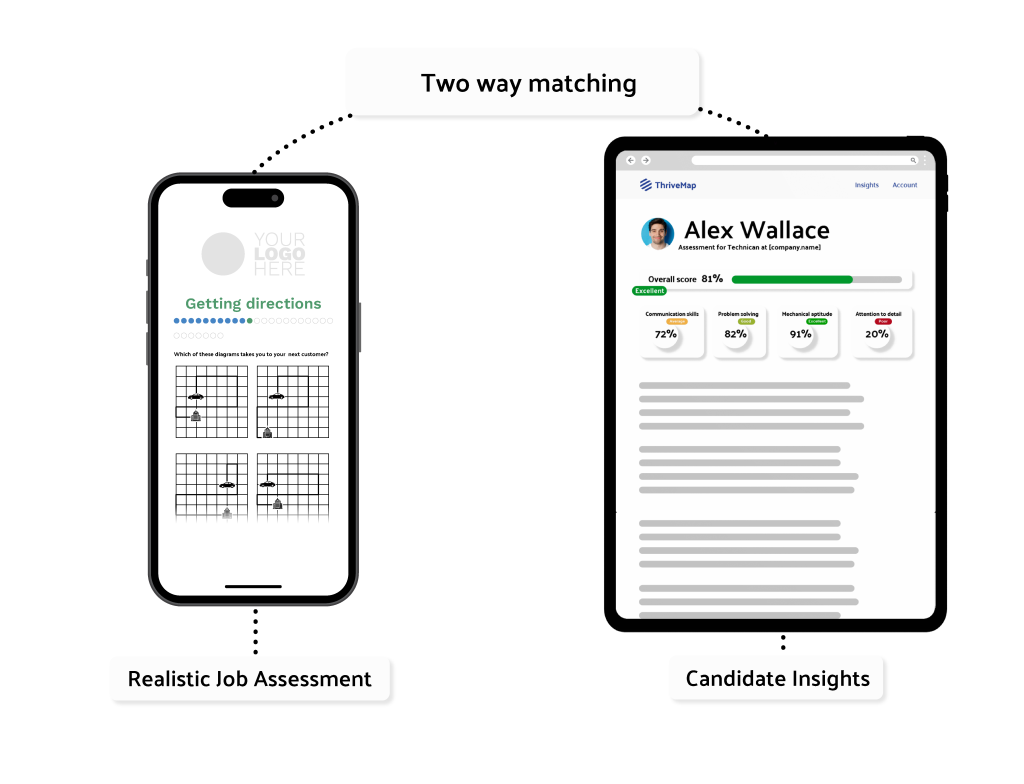
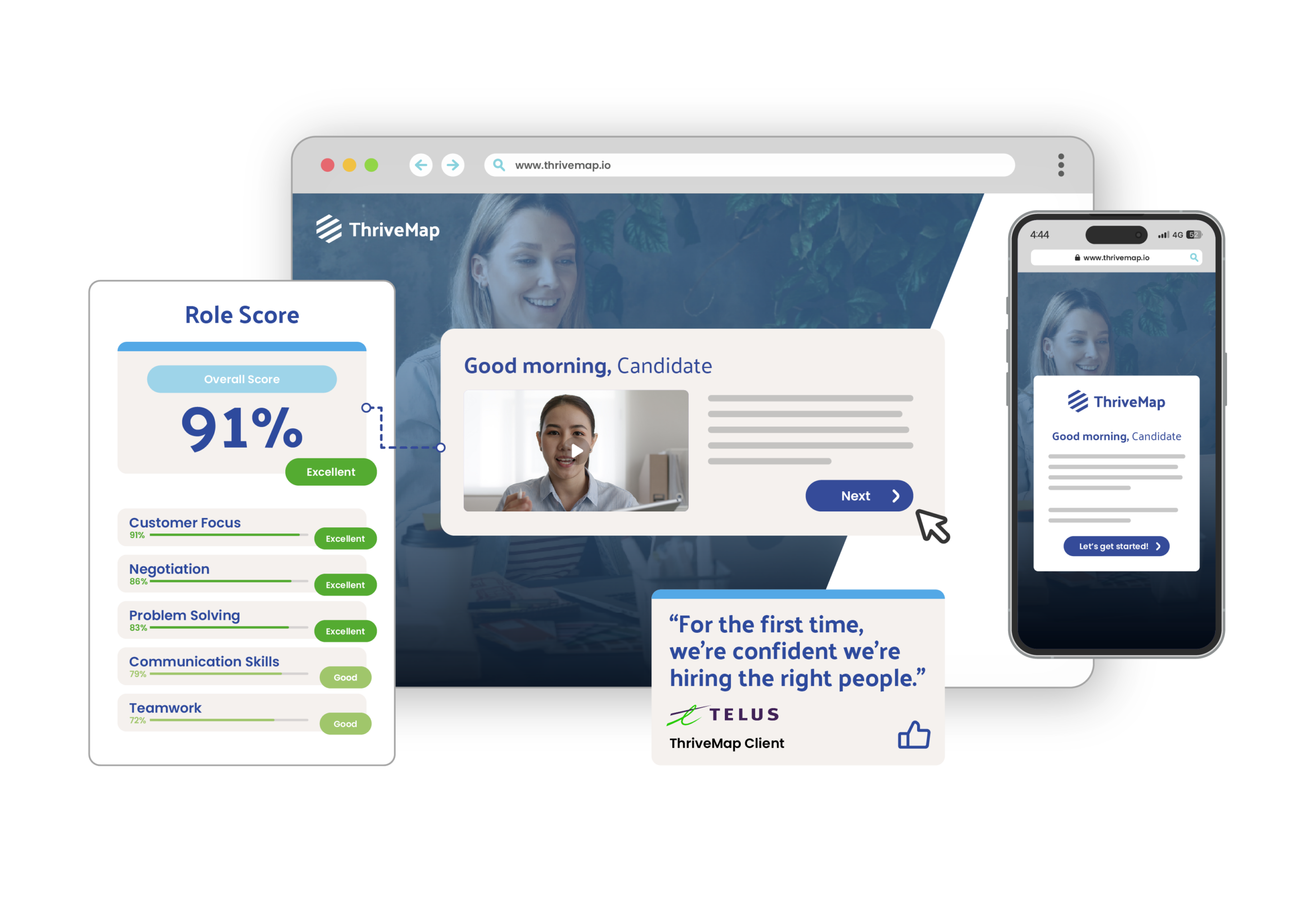
You will see an overall score and fit band, along with a link to a short report that breaks down how they handled the job specific scenarios. There is also clear evidence you can reference in interviews, so you know what to explore and where they are likely to do well or struggle.
You can also see at a glance whether someone has started, completed, or withdrawn from the assessment. Because this all lives inside Workable, there is no extra system to log into. You make decisions right where you already work.
Workable ATS ThriveMap assessment integration setup
- No changes to your core Workable setup
- Fits into the way your team already hires
- Assessments shaped around your actual roles, not templates
- Easy to update as roles and priorities change
- Quick to set up and simple to run
See how ThriveMap integrates with your ATS
Get a demo to see how ThriveMap supports fair, consistent and defensible hiring decisions
What happens after you book
FAQs:
Yes — ThriveMap can be enabled on a role-by-role basis inside Workable. Most teams start with one or two high-impact jobs, like high-volume hiring or roles where making a great call matters most, and then broaden its use as they see the value.
Because Workable already centralises your hiring — from posting jobs and sourcing candidates to screening, evaluation, interview scheduling and team collaboration — ThriveMap fits neatly into that flow without upending it.
That means you can pilot ThriveMap assessments on select roles, see how the insights improve your shortlists and interviews, and scale at your pace — all while keeping the rest of your Workable process intact.
Workable already does the heavy lifting of moving candidates through each stage of your hiring process. ThriveMap simply plugs into that flow.
When a candidate reaches the stage you choose in Workable, they are automatically sent a ThriveMap assessment by email. You do not need to trigger anything manually or keep track of who has been invited.
If a candidate has not completed the assessment, ThriveMap follows up with gentle reminders on day two and day four. That way, candidates keep moving without recruiters having to chase, and your pipeline stays up to date inside Workable.
At ThriveMap, we put a lot of weight on candidate experience and giving people real context for the role they are considering.
That means the length of the assessment is something we tailor with you, rather than fixing it upfront. It depends on what you are hiring for and how much of the job you want to explore. Some roles only need a light touch around a few critical areas. Others benefit from a deeper look at how someone handles the day to day reality of the work.
We also pay close attention to why candidates drop out. If someone leaves because the role does not feel like a good fit, that is a positive signal. It means the assessment has done its job and surfaced a genuine alignment issue before you get to interview or offer stage. If people leave because of length or friction, we adjust the design.
When used with Workable, the aim is simple. Respect candidates’ time, give them a clear picture of the role, and give your hiring team insight that helps them make better decisions earlier in the process.
Workable already lets candidates apply and move through your hiring process on whatever device they have to hand. ThriveMap follows that same approach.
When you use ThriveMap alongside Workable, the goal is not to push more people through to the end of the recruitment process. It is to make sure the right people move forward.
Some candidates will choose to step away earlier after seeing what the role is really like. That is a good outcome. It means a misalignment has been spotted before you invest time in interviews or offers. For example, someone might realise the role involves regular night shifts, a fast paced call environment, or a level of customer pressure they are not comfortable with. Others may decide they are looking for something quieter, more flexible, or more independent than the role can realistically offer.
What teams tend to see in Workable is a cleaner shortlist and fewer late stage surprises. Instead of people dropping out after interviews or in their first weeks on the job, the process filters earlier, when it is easier and cheaper for everyone. That means less time spent by hiring managers, fewer wasted interview hours, and lower costs tied to rehiring and onboarding when someone leaves shortly after starting. The result is stronger shortlists, better early retention, and a hiring process that saves both time and budget.
When a candidate applies through Workable, ThriveMap can be switched on at the stage in your workflow that makes the most sense for your team.
Unlike most assessment tools that offer a fixed, one-size-fits-all integration, ThriveMap’s team works with you to map the setup around how you actually use Workable. That means a fast, hands-on implementation that fits your hiring flow, rather than a long, technical project.
At that point, the candidate is invited to complete a ThriveMap assessment that shows them what the role is really like and explores how well they match the day to day reality of the job.
Once they have finished, the results appear back in Workable alongside their candidate profile. So when you are shortlisting, preparing for interviews, or deciding on next steps, you are looking at clear, job relevant insight in the same place you already manage the rest of your hiring.